Forever Ago game wallpaper: Sizes, Shots & Tips
Find Forever Ago game wallpaper sizes, crops, and scene ideas for desktop, ultrawide, and phone.
Why These Road-Trip Frames Work on a Screen
A quiet highway at dusk, a Polaroid-style snapshot, and a sky that looks painted for a desktop. That is why a Forever Ago game wallpaper feels different from generic scenic art: it carries a story about Alfred’s drive north. If you want a Forever Ago game wallpaper that still looks sharp on a 4K monitor or a phone lock screen, the trick is matching the game’s road-trip frames to the right crop, resolution, and color mood.
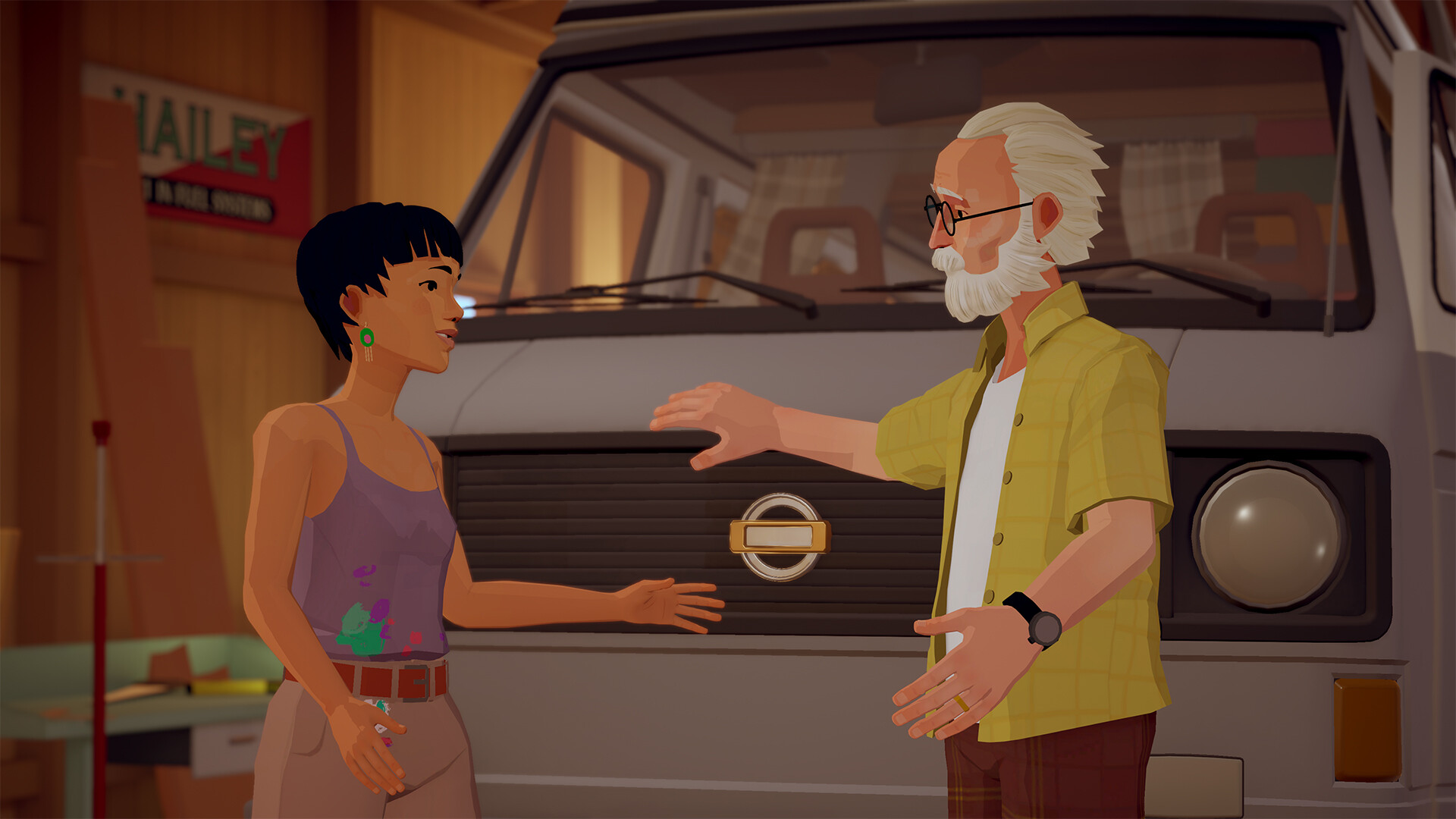
Official screenshot · Source: Steam store
Alfred’s trip is a single-player journey taken after a tragic turn of fate. He heads north looking for redemption, not a postcard checklist. You pass serene forest trails and dusty barrens under a hard desert sun, talk with people who have their own regrets, and record the miles with an old instant camera. The camera is not only a souvenir. It also helps with small environmental puzzles, so the pictures you take already behave like composed stills.
That mix is useful when you are picking a background. Wide land gives your icons room. The instant prints give you a second, more intimate image for a phone or a side monitor. The story, as described on Annapurna Interactive’s Forever Ago game page, moves through broken dreams, loss, and regret, and also through courage, hope, and friendship. A background should hint at that tone without spoiling a conversation or a late-game reveal.
A strong Forever Ago game wallpaper starts with a frame you can stand to see during a long workday. Pretty is not enough. The shot needs a calm patch for icons, a horizon that is not sliced by a taskbar, and colors that stay readable next to white text.
| Wallpaper trait | Why it matters on a real desk | What to look for in this game |
|---|---|---|
| Open space | Desktop icons need a low-detail zone | Road shoulder, mist, or empty sky |
| Stable horizon | A tilted line feels restless all day | Level forest trails and desert flats |
| Limited text | Signs and subtitles clash with your own UI | Capture between dialogue, not during it |
| Emotional tone | You will see this image for months | Landscape over a plot-heavy close-up |
| Crop flexibility | Phones and ultrawides cut different edges | Scenes with extra sky or roadside |
Match the File to the Display You Actually Use
Export a Forever Ago game wallpaper at your panel’s native size instead of stretching one file across every device. A 16:9 capture looks fine on a standard monitor and awkward on a super-ultrawide. A portrait crop that sings on a lock screen leaves huge bars on a desktop.
Use the table below as a starting sheet. Phone pixel counts vary by model, so check your display settings and round to the nearest common size rather than guessing.
| Screen | Aspect ratio | Practical export size | Crop advice |
|---|---|---|---|
| 1080p monitor | 16:9 | 1920×1080 | Keep the horizon near the vertical middle |
| 1440p monitor | 16:9 | 2560×1440 | Same framing; foliage stays cleaner |
| 4K monitor | 16:9 | 3840×2160 | Only if the source frame is already sharp |
| Standard ultrawide | 21:9 | 3440×1440 | Extend sky or desert, not a character’s face |
| Super ultrawide | 32:9 | 5120×1440 | Use only very wide, simple landscapes |
| Phone lock screen | About 9:19.5 | 1170×2532 or your phone’s size | Place the subject in the upper third |
| Tablet | 4:3 or 16:10 | 2048×1536 or 2560×1600 | Avoid thin, letterboxed captures |
A few rules keep those numbers honest:
- Do not upscale a small capture more than about twice. A soft 1080p frame blown up to 4K looks muddy, especially in leaves and dust.
- Do not stretch 16:9 into 21:9. Crop taller source art, or pick a wider in-game view and cut the top and bottom.
- Leave about 8 to 12 percent of the frame empty where icons, a dock, or a taskbar will sit.
- On phones, the clock and widgets cover the top. A face placed dead center often disappears under the time.
| Interface zone | What covers the image | What should sit underneath |
|---|---|---|
| Desktop, left side | Icon column | Darker roadside, shadow, or plain sky |
| Desktop, bottom | Taskbar or dock | Road, ground, or a simple dark band |
| Phone, top third | Clock and widgets | Open sky or a soft gradient |
| Phone, bottom | Shortcuts and gesture bar | Ground, asphalt, or blurred foreground |
| Ultrawide, far edges | Often empty, sometimes a second dock | Continuous landscape, not important detail |
If your only clean shot is 1920×1080, use it on a 1080p screen. Chasing a larger file by running it through an upscaler usually adds plastic texture to bark, fabric, and film grain. Native pixels beat a bigger number.
Scene Moods That Stay Pleasant All Day
The best Forever Ago game wallpaper scenes share one trait: they read clearly at a glance, then get out of the way. Alfred’s route already splits into moods you can assign to different screens.
Forest stretches tend to be cooler. Greens, mist, and filtered light lower the visual noise of a work monitor. Desert stretches do the opposite. Heat, pale dust, and a hard blue sky feel open, which suits an ultrawide where the road can run across the whole panel. Evening highway shots sit between those poles. Amber light and a darker sky make icons easier to see than a blown-out noon sky.
The instant camera is its own category. Those pictures document the journey and, in play, help solve small spatial puzzles. As wallpapers they behave like keepsakes. A cream border and a slightly faded print look excellent on a phone or a vertical side display. They are weaker as a full desktop because the border wastes space and the square shape forces large empty margins on a wide monitor.
Character moments need more care. The cast is performed by well-known voice actors, and the writing spends time on beliefs, struggles, and friendship, including Alfred’s life with Audrey. A quiet wide shot of two figures on a road can carry that feeling. A tight portrait is more likely to be sliced by a widget or to reveal more story than you want on a shared screen.
| Mood you want | Scene to favor | Palette | Best home |
|---|---|---|---|
| Calm focus | Forest trail, soft canopy | Moss, mist, muted gold | Main work monitor |
| Open and warm | Desert barren at day | Sand, rust, pale blue | Ultrawide desktop |
| Reflective | Northbound road near dusk | Amber, indigo, asphalt gray | Desktop or lock screen |
| Keepsake | Instant-camera still | Cream border, faded color | Phone or second display |
| Low distraction | Overcast sky, distant ridge | Desaturated blue-gray | Coding or writing setup |
Clark Aboud’s original score, from a composer also tied to Slay the Spire and Kind Words, leans gentle rather than bombastic. You cannot hang a soundtrack on the desktop, but you can echo it. Prefer frames that feel like a held note: a long road, a still grove, a parked moment. Skip shots with heavy motion blur or a flashlight beam that only makes sense in motion.
Spoilers are a crop problem as much as a story problem. If a billboard, a letter, or a unique landmark would tell a friend how the trip turns out, choose an earlier, simpler mile of the same biome. You can always swap the file after you finish the game.
How to Save a Forever Ago game wallpaper Without the Clutter
Before you set a Forever Ago game wallpaper as your default, make one clean export and one backup crop. The first is the file you use today. The second is a slightly wider frame you can recut when you change phones or add a monitor.
Capture during a quiet beat. Dialogue text, button prompts, and the camera viewfinder all ruin an otherwise perfect ridge line. If the game does not offer a way to hide interface elements, wait for a moment when the screen is clear, then use your platform’s built-in capture tool. The instant photos you shoot while playing are a useful mood board. When you want edge-to-edge art, return to that same place and take a normal screenshot without the photo border.
Edit lightly:
- Crop first, then color. A bad crop cannot be fixed with warmth.
- Stay in sRGB so the file looks similar on a phone and a monitor.
- Lift shadows just enough to see the road. Crushed blacks hide the forest detail that made you save the shot.
- If icons vanish, darken only the icon column with a soft gradient. Do not dim the whole image.
- Sharpen once, at the final size. Sharpening before a big downscale creates halos around branches and power lines.
| Goal | Format | Quality notes | When to pick it |
|---|---|---|---|
| Crisp desktop | PNG | Lossless, larger file | Main monitor, 1440p or 4K |
| Easy phone sync | JPEG | Quality around 90, sRGB | Lock screen and cloud backup |
| Film-style print | PNG with a simple border | Slight fade, no heavy grain | Side monitor or widget area |
| Dark-mode desk | PNG | Lower highlights, intact shadows | Icon-heavy Windows or macOS layouts |
File names help later. Something like forever-ago-forest-3440x1440.png beats screenshot_final_REAL.png when you own four crops of the same overlook.
Copyright is straightforward. Your own screenshots are for personal setups. Official key art and marketing stills are not a free download kit. If you want to post a pack, a gallery, or a stream overlay, check the publisher’s terms first and link back to the official page instead of rehosting press images. Personal wallpaper use and public redistribution are different acts.
A simple test saves rework. Set the image, drop your real icons back into place, and open a bright window and a dark window on top of it. If you cannot find a folder, the shot is too busy. If the image looks gray and lifeless, you dimmed it too far. Two minutes of that check is worth more than another hour of color grading.
Layout Ideas for a Desk, a Phone, and an Ultrawide
Treat each screen as a different seat in the car. The main monitor is the windshield. A side display can hold an instant photo, the way a snapshot might sit on a dashboard. The phone is a pocket print you see for two seconds at a time, so it can be bolder.
On a standard 16:9 display, put visual weight on the right and leave the left quieter if your icons live there. A forest path entering from the right, or a desert ridge sitting high in the frame, usually survives an icon column. Keep human faces away from the bottom 80 pixels, where a taskbar will crop them.
On 21:9, let the road travel. A slight curve is enough to lead the eye from one edge to the other. Avoid placing Alfred, Audrey, or any other figure at the extreme left or right. Ultrawide wallpapers get covered by windows more than people expect, and a face cut in half by a browser is worse than an empty mile of asphalt.
On a phone, rotate the idea, not just the file. A landscape screenshot cropped blindly to portrait often keeps the least interesting strip. Start from sky, then a thin horizon, then road. That stack sits naturally under a clock. For the instant-camera look, keep the white border only if it does not collide with the shortcut row. Otherwise, crop inside the print and let the photo fill the screen.
Paired setups are where this game’s art earns its keep:
- Main monitor: wide forest or dusk highway, low contrast.
- Second monitor: one instant photo, centered, with a dark surround so the border feels intentional.
- Phone: a tighter crop of the same hour of day, so the set feels related when you glance down.
- Tablet: a 4:3 crop of a campsite, a parked car, or a still interior, which hides less of the scene than a phone crop does.
Refresh the set when you change chapters, not every week. Swapping wallpapers constantly makes the desktop feel like a loading screen. Pick one mood for the work season—cool forest for winter, dusty gold for summer—and keep a spare folder of three alternates. That is enough variety without another afternoon of cropping.
If you share the machine, choose a frame that does not depend on knowing the plot. A beautiful empty road still reads as a beautiful empty road. A revealed letter, a grave, or a late-game landmark can turn a desktop into an accidental spoiler for someone in the house who has not finished the trip.
FAQ
Where should I look for a Forever Ago game wallpaper?
Start with the official Annapurna Interactive game page and your own screenshots. Marketing art is the safest reference for color and composition. Your captures are the safest files to crop for a personal device. Avoid reposted “4K packs” that do not name a source.
What size should I export?
Match the panel. Use 1920×1080, 2560×1440, or 3840×2160 for common 16:9 monitors, and 3440×1440 for a typical ultrawide. Check the phone’s actual resolution before exporting a lock screen, because Android and iPhone sizes are not interchangeable.
Can instant-camera photos work as backgrounds?
Yes, with limits. They shine on phones and secondary displays because the border already looks like a printed memory. For a full desktop, a borderless landscape is usually cleaner and leaves more room for icons.
How do I keep icons readable on a bright desert shot?
Leave the icon side darker than the horizon, or add a soft gradient behind that column only. Also drop any capture that includes subtitles or button prompts. A slightly dimmer, cleaner frame will look better in daily use than a brighter shot you cannot read.
Related Guides
Forever Ago annapurna: Release, Story, and Review
Learn what Forever Ago annapurna offers: a Third Shift road-trip adventure about memory and redemption, plus platforms, price, specs, and reviews.
Forever Ago Demo: What the Gameplay Shows & Why It Matters
A deep dive into the Forever Ago demo, covering Alfred's diner visit, the Highway Star sequence, and how it sets up the full game from Third Shift.
Forever Ago Gameplay: A Road Trip Through Love and Loss
A full breakdown of Forever Ago gameplay — story structure, photo mechanics, flashbacks, endings, and why this Annapurna road trip breaks players emotionally.
Forever Ago Preview: A Heartfelt Road Trip Through Memory
Our Forever Ago preview explores Third Shift's narrative road trip adventure starring Alfred, his van, and a life of memories with Audrey.